
Table of Contents
If you need more support than can be achieved over Email or the telephone I can remote access your computer to try to fix or setup what you need hands-on.
To do this we can use a free software called TeamViewer.
You can download and run TeamViewer without having to install it so you don’t have to worry about admin rights or knowing how to install applications.
Download Application #
- Visit https://www.teamviewer.com/en/download/
- Select the TeamViewer QuickSupport ‘Download’ link
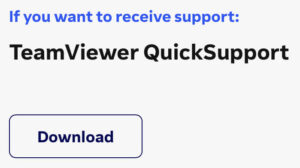
- The file should start downloading, it might ask if you are sure or where to save the file
- When the software finishes downloading open the file
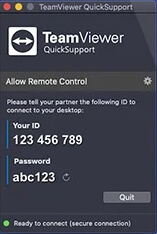
- Once the software loads it should present you with a screen giving:
Your ID and Password* - You will need to send those details to me so I can remote access your device when you are ready.
* Please note that these details reset each time you open the application so you need to ensure you provide them fresh each time.